Eloqua Cloud App

Send Airship push notifications from your Eloqua campaigns

A native Eloqua Cloud App that lets marketers configure and send personalized mobile push notifications through Airship — directly from the campaign canvas, with no custom development required.

Eloqua Cloud App AWS Lambda SQS DynamoDB Angular Serverless Framework Node.js

Native inside Eloqua

The integration lives as a Cloud App inside your Eloqua instance. Marketers work entirely within the Eloqua campaign builder — no external tools or logins.

Campaign Canvas Action

Drag and drop the Airship step into any Eloqua campaign. As contacts flow through the action step, push notifications are queued and sent individually. The integration then reports delivery status back to Eloqua — successes and failures both recorded per contact.

  • Native drag-and-drop step in the campaign canvas
  • Per-contact delivery as they flow through the step
  • Immediate or scheduled delivery
  • Delivery status synced back to Eloqua automatically
  • Personalized messages using Eloqua contact field data
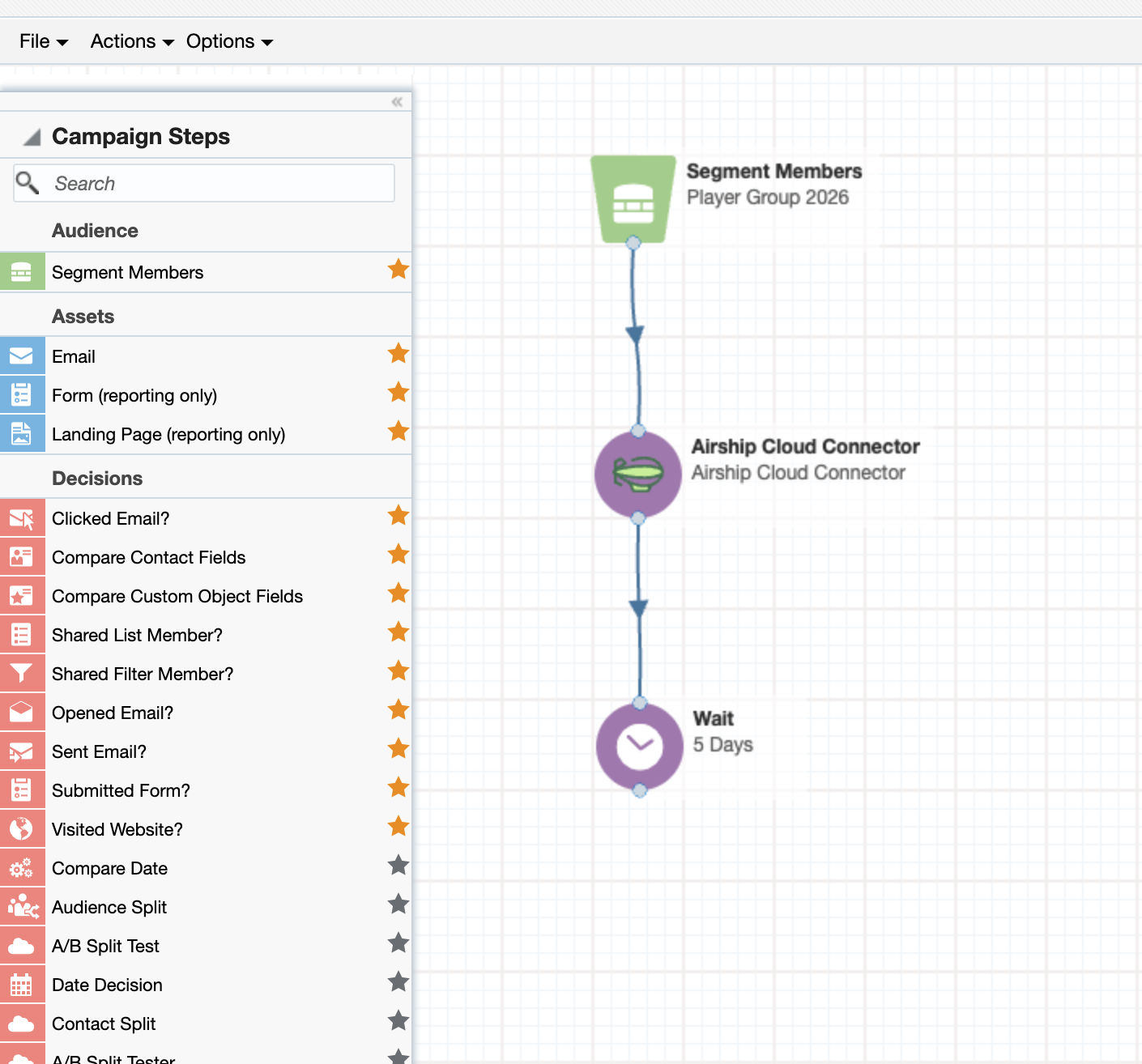
Airship step in Eloqua campaign canvas

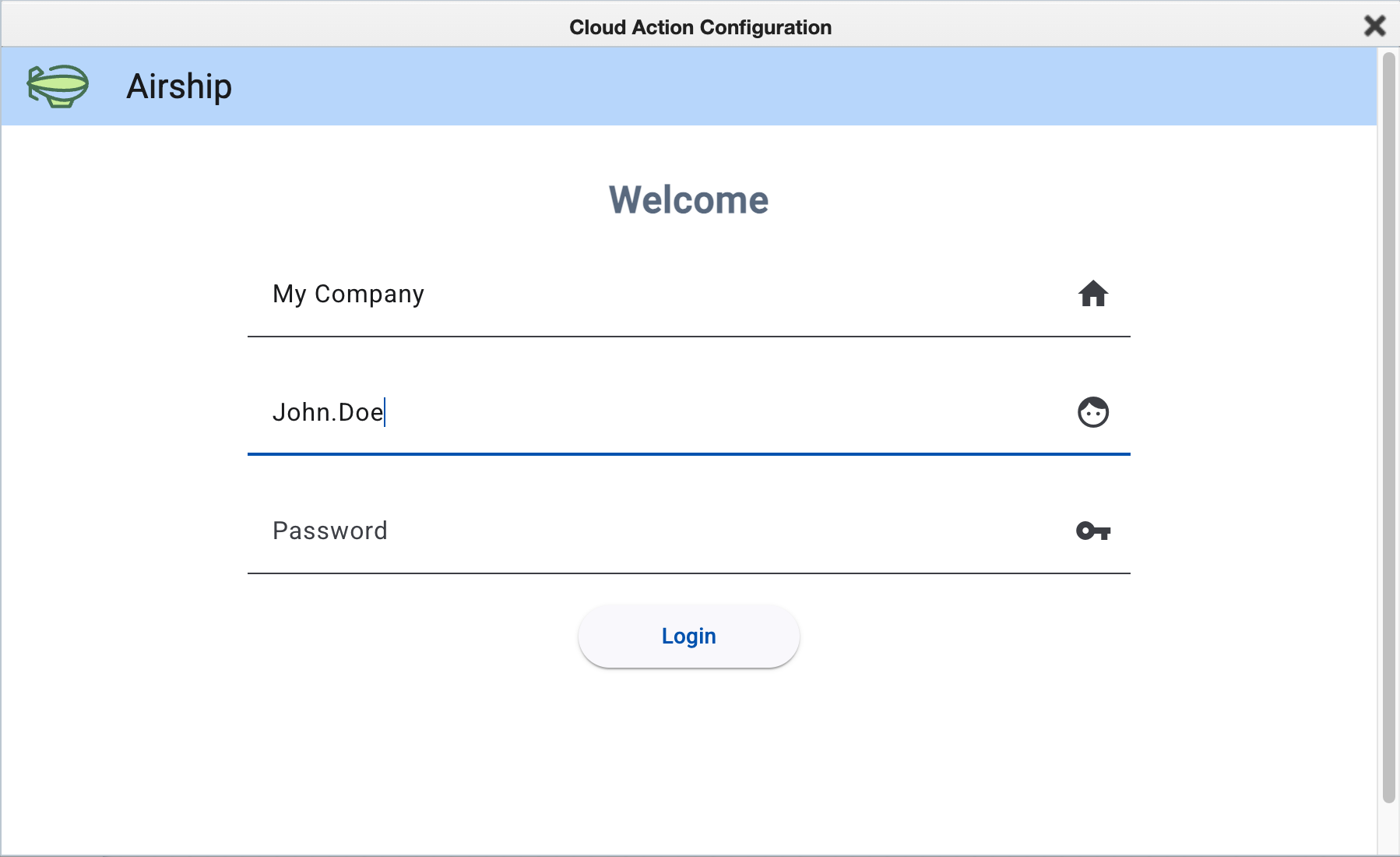
Step 1 — Authenticate

Login inside Eloqua Cloud Action

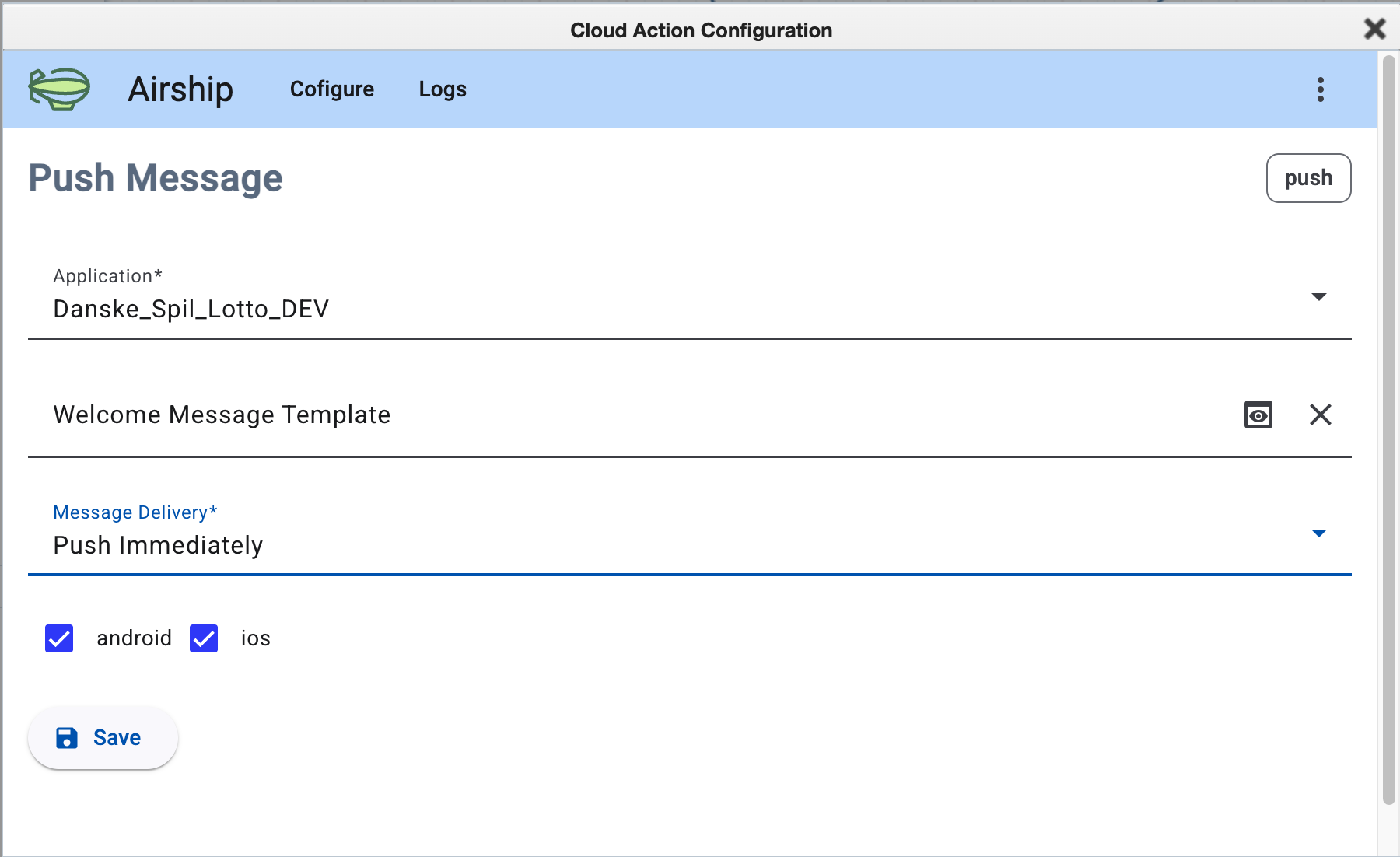
Step 2 — Configure

Push message configuration

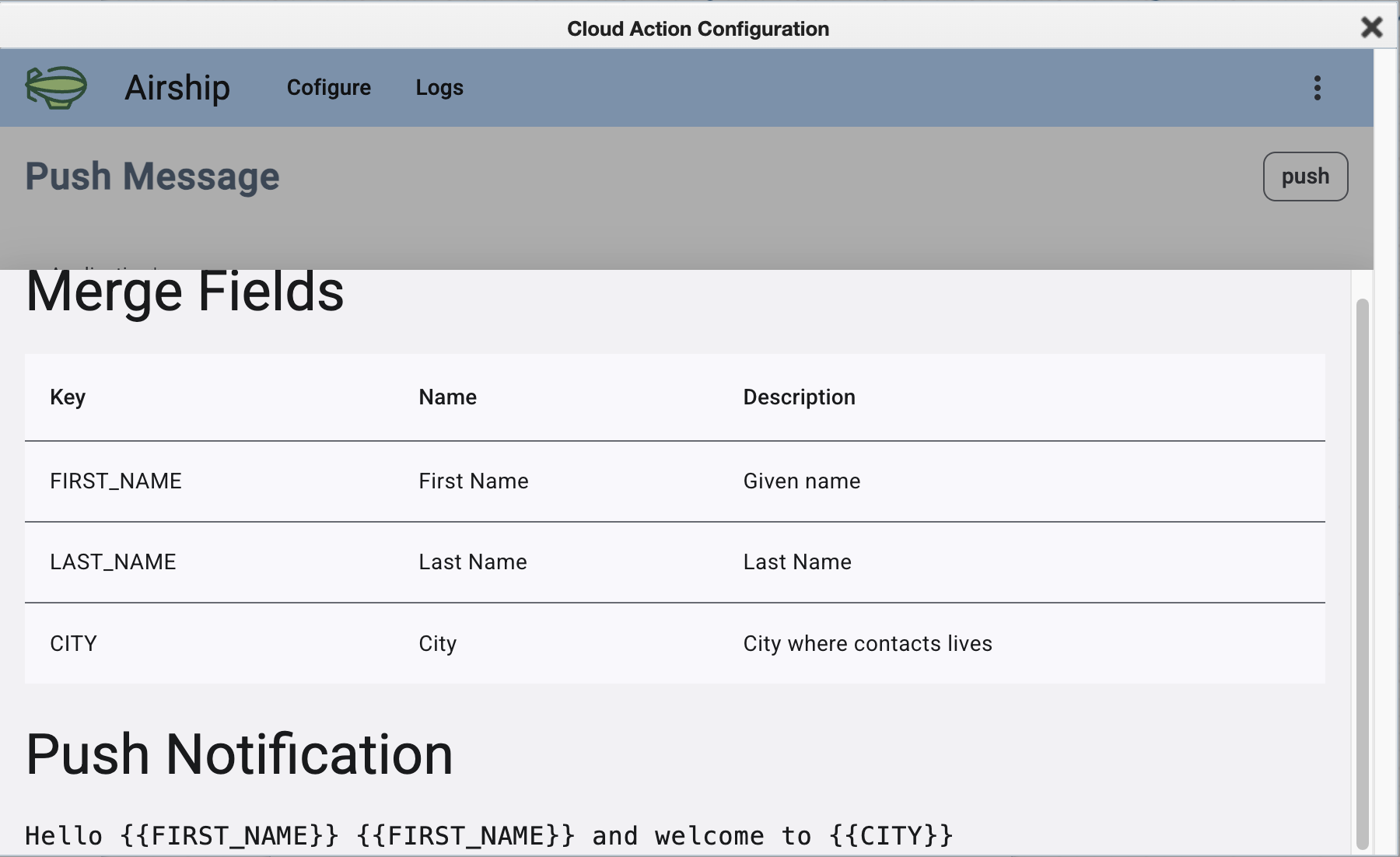
Step 3 — Preview template

Template merge fields preview

Everything you need out of the box

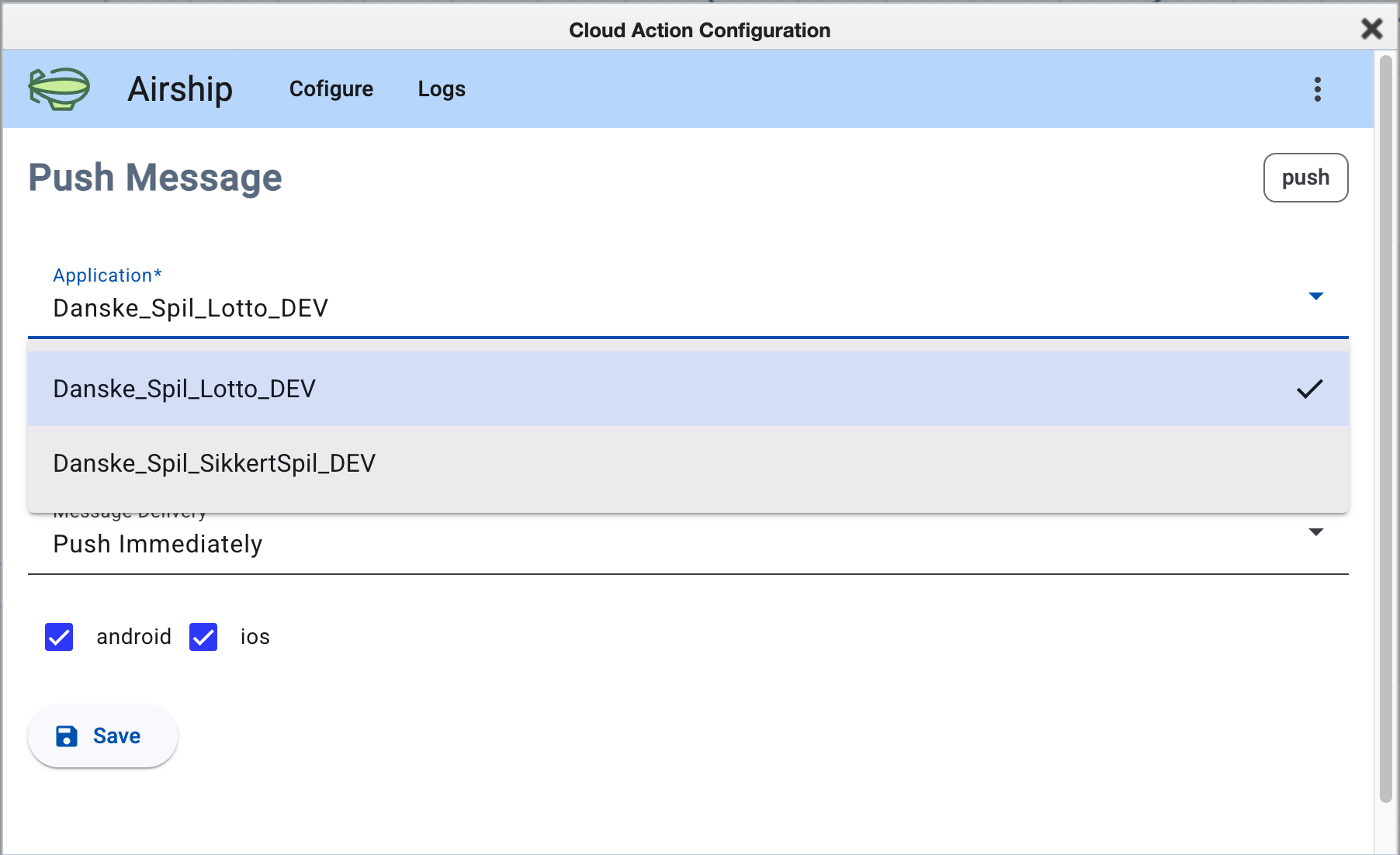
Multi-app support

Connect multiple Airship apps. Marketers pick the target app from a dropdown — all configured per Eloqua site.

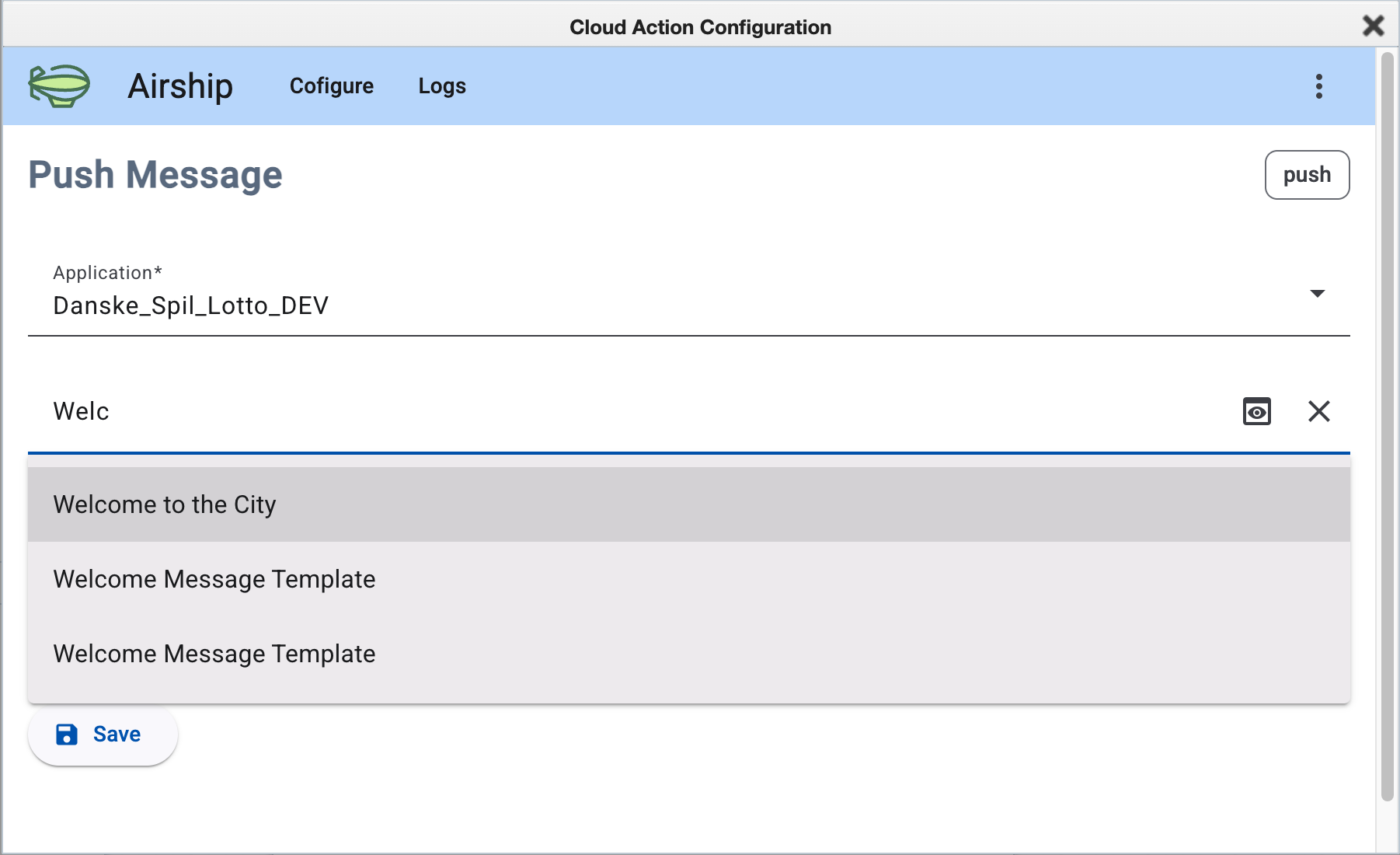
Template autocomplete

Search and select push templates directly from your Airship template library. No copy-pasting IDs.

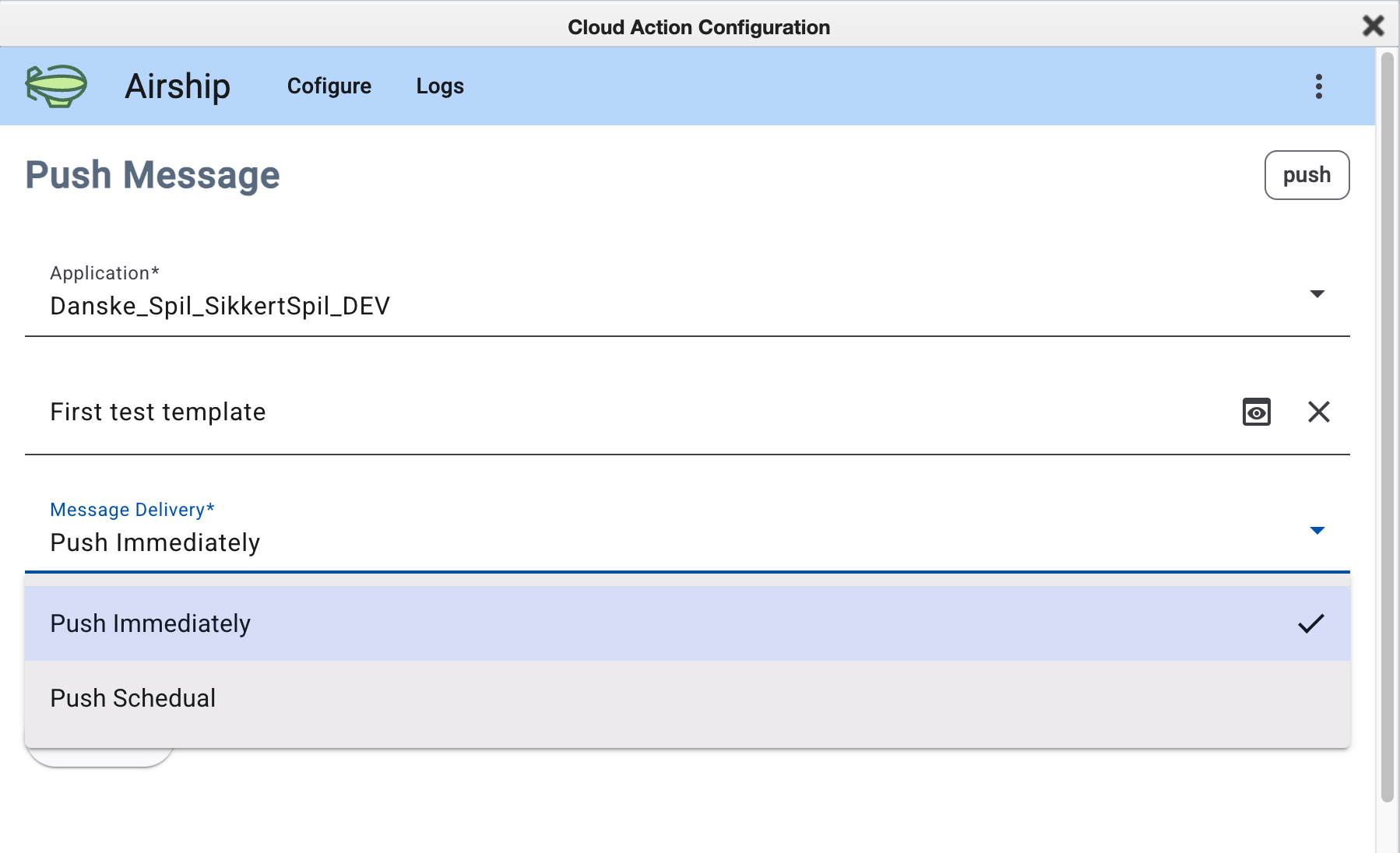
Immediate or scheduled

Send immediately when a contact hits the step, or schedule for a specific date and time.

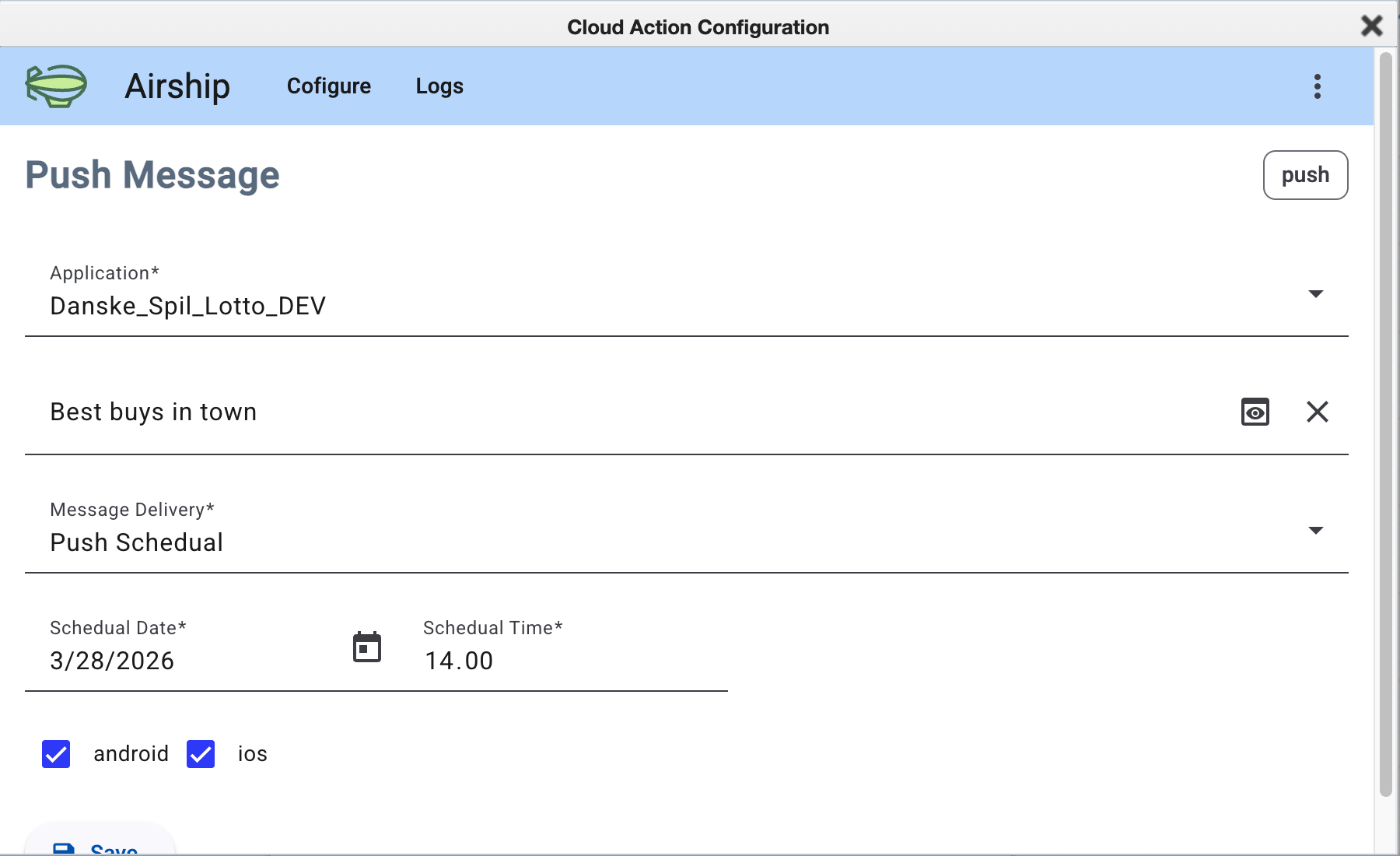
Android & iOS targeting

Target Android, iOS, or both. Platform selection is saved per campaign step configuration.

Personalization

Templates support merge fields mapped to Eloqua contact data — send each contact a message with their name, city, or any custom field.

Automatic status sync

Delivery results — successes and failures — are imported back into Eloqua automatically after each send.

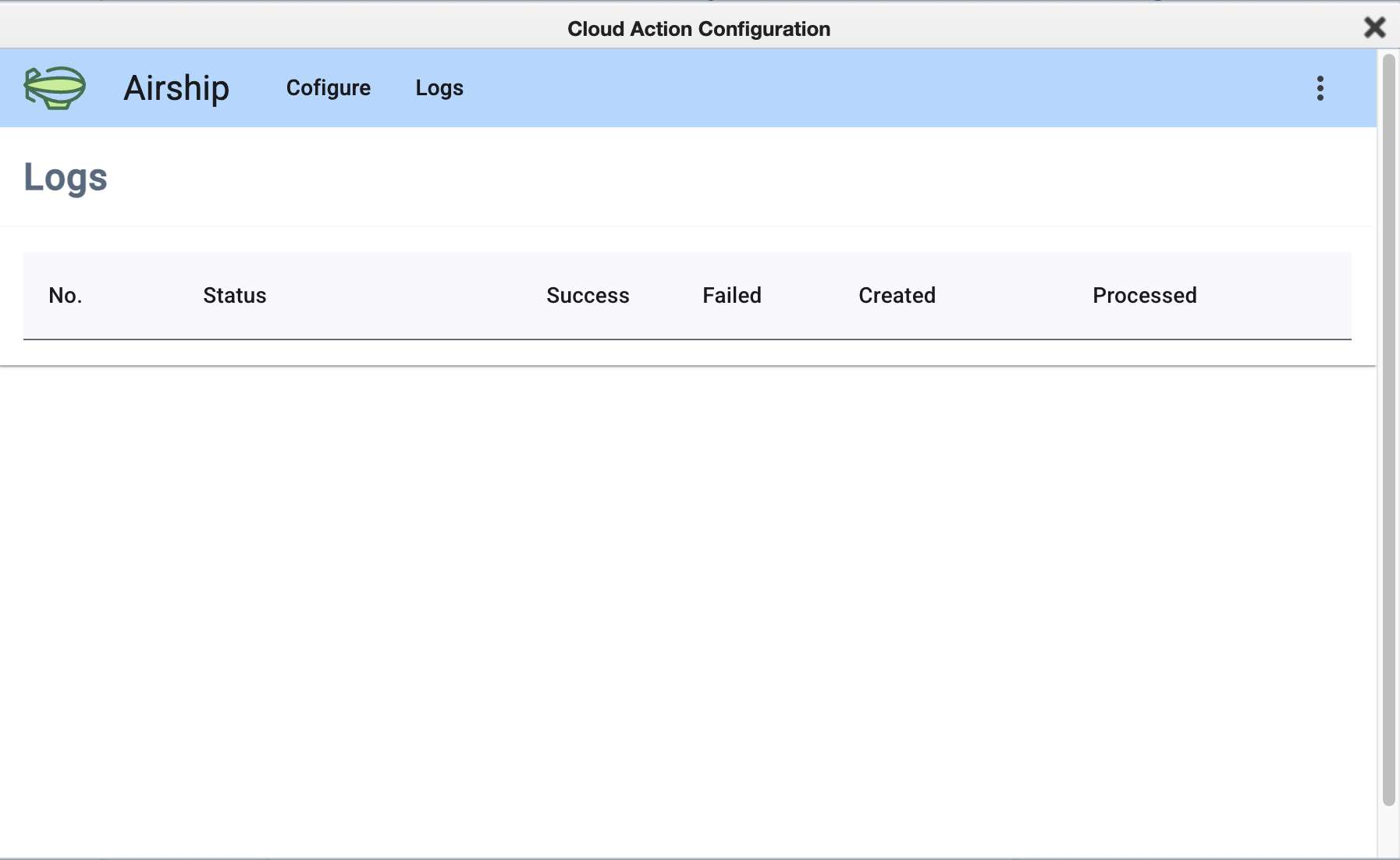
Delivery logs

Full notification history per campaign step — sent count, failed count, timestamps, and processing status.

In action

Every screen runs inside the Eloqua Cloud Action panel — no separate app or login.

App selector dropdown
Select from all configured Airship apps
Template autocomplete
Search templates by name with autocomplete
Delivery type selection
Immediate or scheduled delivery
Scheduled push with date and time
Scheduled send — date and time filled in
Template merge fields and push notification preview
Template preview — merge fields and message content
Notification delivery logs
Delivery log — status, success and failed counts

Architecture

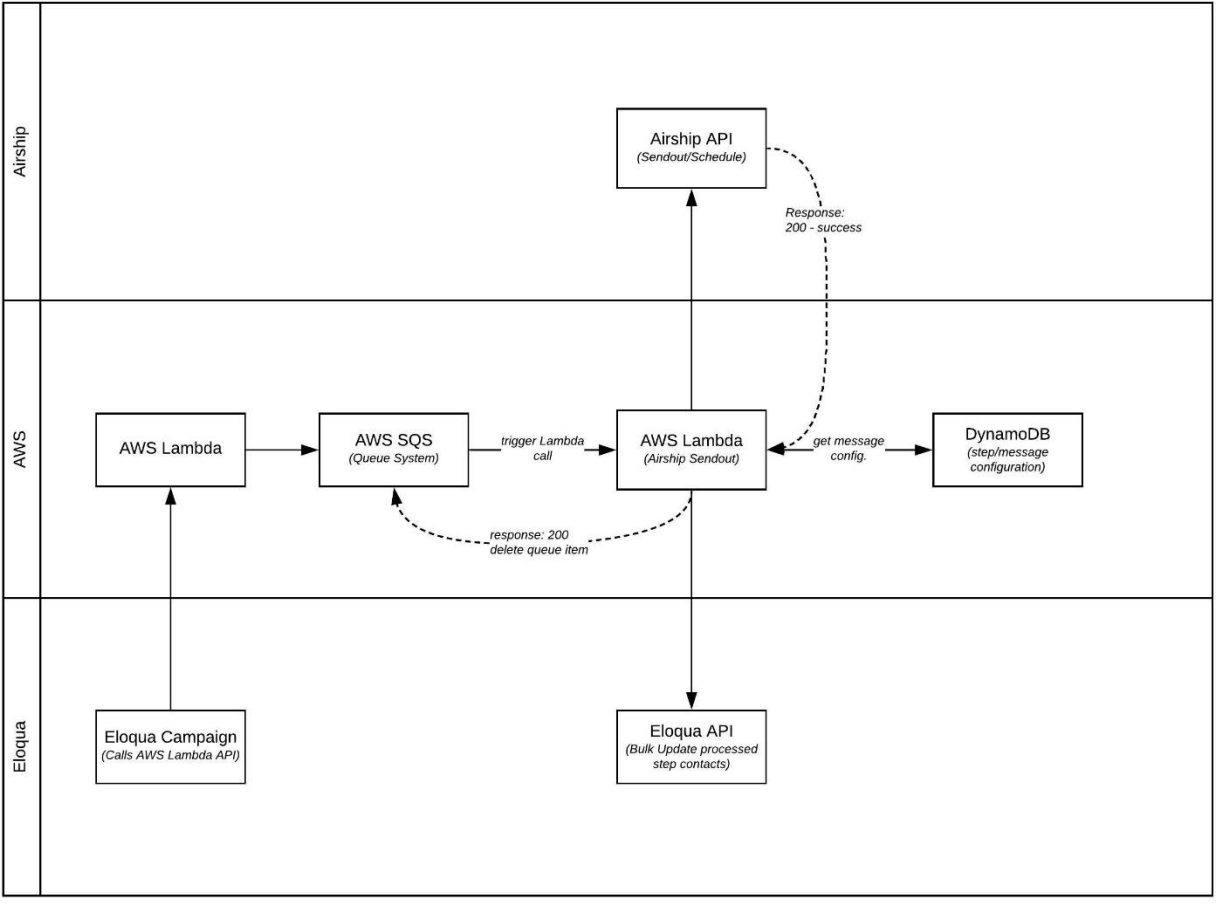
Built on AWS with an async queue that decouples Eloqua from Airship — no timeouts, no blocking the campaign.

Campaign action architecture diagram
Eloqua Campaign → AWS Lambda → SQS → Airship API → Eloqua Bulk Import (status sync)

Why not just use Eloqua Webhooks?

You could build a webhook-based integration from scratch. Here's what that comparison looks like in practice.

Eloqua Webhooks (DIY)
This integration
Eloqua UI
Raw webhook config
Native drag-and-drop step
App & template selection
Manual API config
Searchable autocomplete
Scheduling
Custom build required
Built-in date & time pickers
Personalization
Custom build required
Merge fields from Eloqua contact data
Status sync to Eloqua
Custom build required
Automatic
Time to value
Weeks to months
Days
Maintenance
Your team's responsibility
Managed service

Ready to integrate Airship with Eloqua?

Drop me a line to request a demo or ask about setup for your Eloqua instance. The integration is production-tested and can be up and running in days.

dragan@visidra.com